Subscription, grace days and locked features
What you see before and after the end of your subscription, and how “Upgrade to unlock” works.
- Open Settings → Your subscription to see your plan, PCs, end date, balance and the features of your plan.
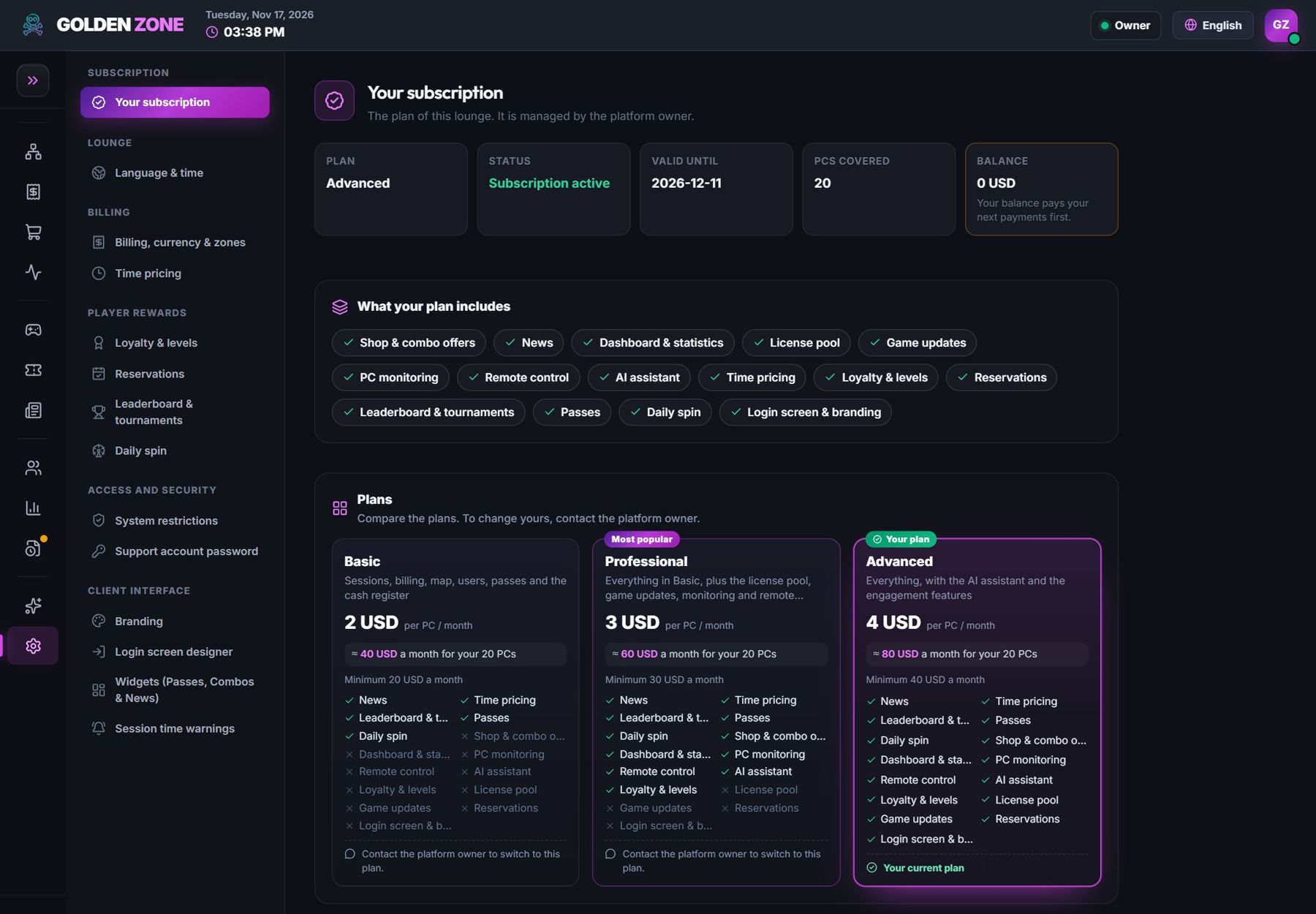
Your plan and every plan side by side. - A banner in the panel tells you when the end is near.
- After the end date, the lounge keeps working for a few grace days with a warning.
- After the grace days the panel is locked: no new sessions and no changes. All your data is kept, and sessions already running finish on their own time.
- A payment unlocks everything within seconds.
- A feature outside your plan shows Upgrade to unlock with the plans that include it — or add that single feature as an add-on.