Set up zones and hourly prices
Create your zones (Gaming, VIP, Streaming…) with their own hourly rate and display currency.
A zone is a group of PCs with the same hourly price — for example Gaming at 150,000 LBP an hour and VIP at 250,000. Pictures, passes and many features can also differ per zone.
- Go to Settings → Billing, currency & zones.
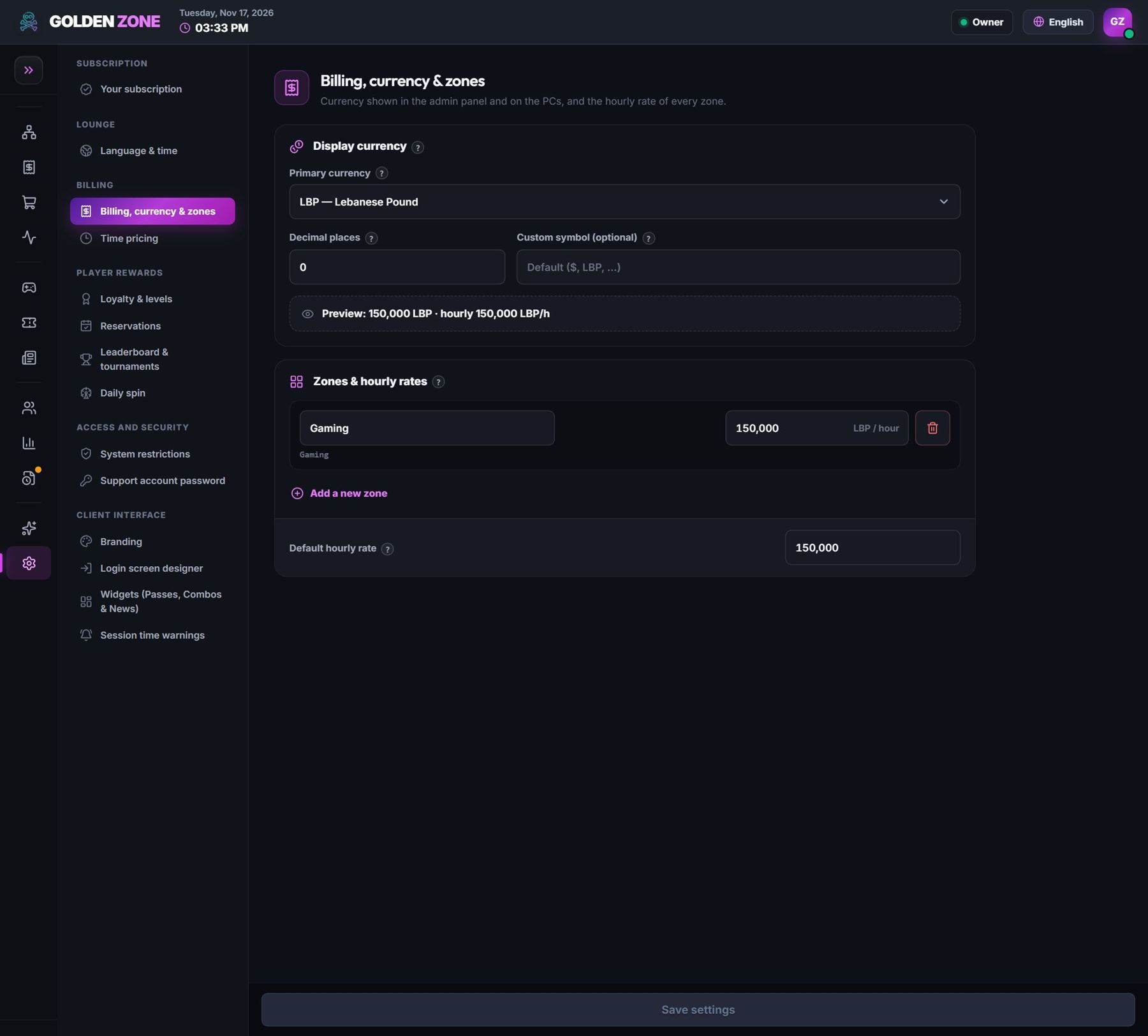
Currency, zones and the hourly rate of each zone. - Choose your display currency and the custom symbol if you need one.
- Under Zones & hourly rates, add a zone, type its name and its price per hour.
- Press Save settings. The PCs get the new prices within seconds.
Want cheaper hours in the morning or at night? Use Time pricing — the right price applies by itself.