Top up a player or give a receipt code
Add balance to a member account, or print a receipt code a guest types at sign-in.
Top up a member
- Open Cash register → Refill, search the account, choose the amount and press Process refill.
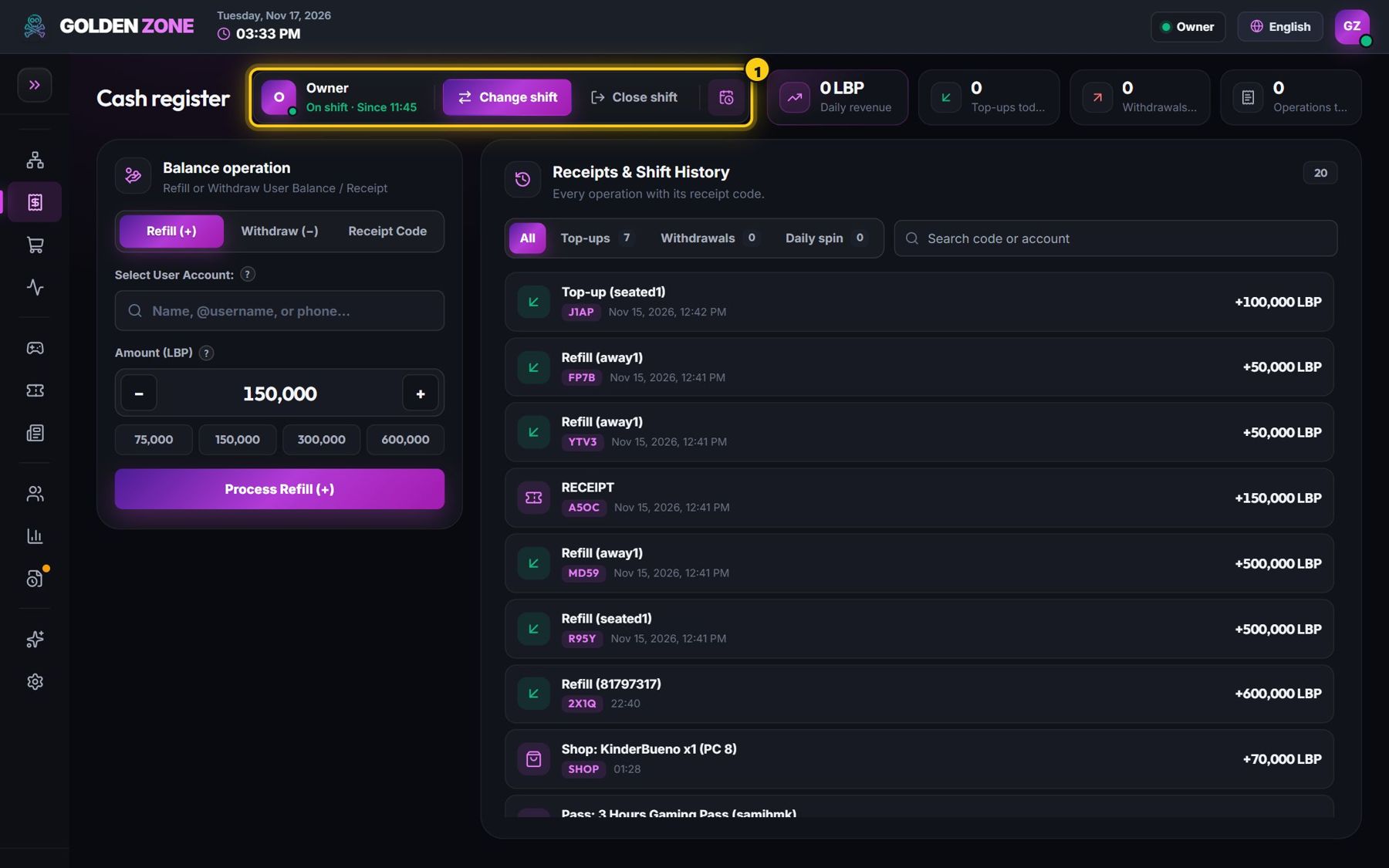
Refill a member account. - The balance is added at once — on the player screen too if the player is already playing.
Give a receipt code
- Open Cash register → Receipt code, choose the amount and press Issue receipt code.
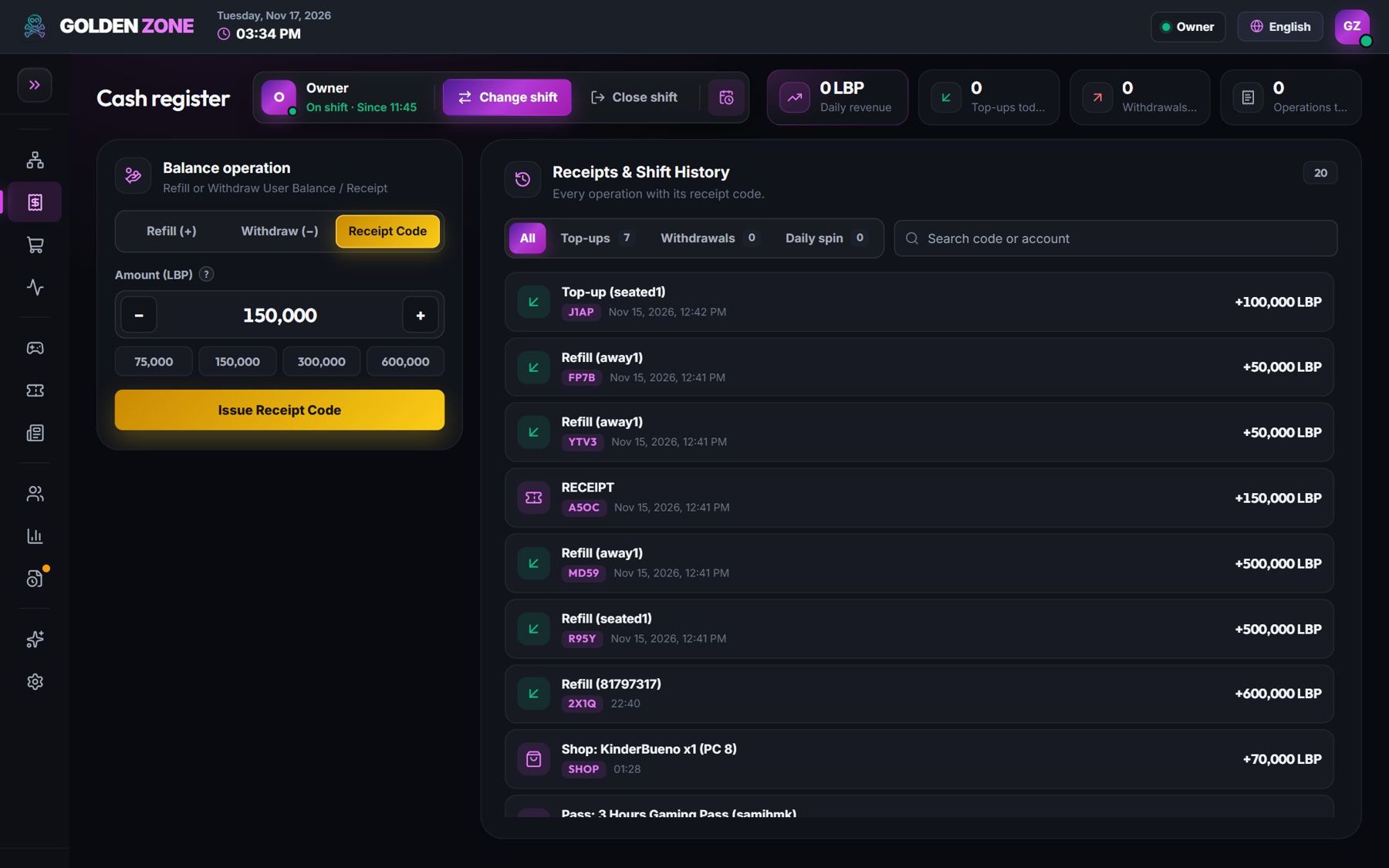
A receipt code is a one-time access code. - Give the code to the customer. They type it on the sign-in screen of any free PC and play for its amount.
From the map: right-click a PC with a player → Top up.
All money actions need an open staff shift.