Add Steam, Epic or Riot accounts to the license pool
Your lounge accounts sign in by themselves for the player — the password is never shown.
- Open Apps & Games → License Pool.
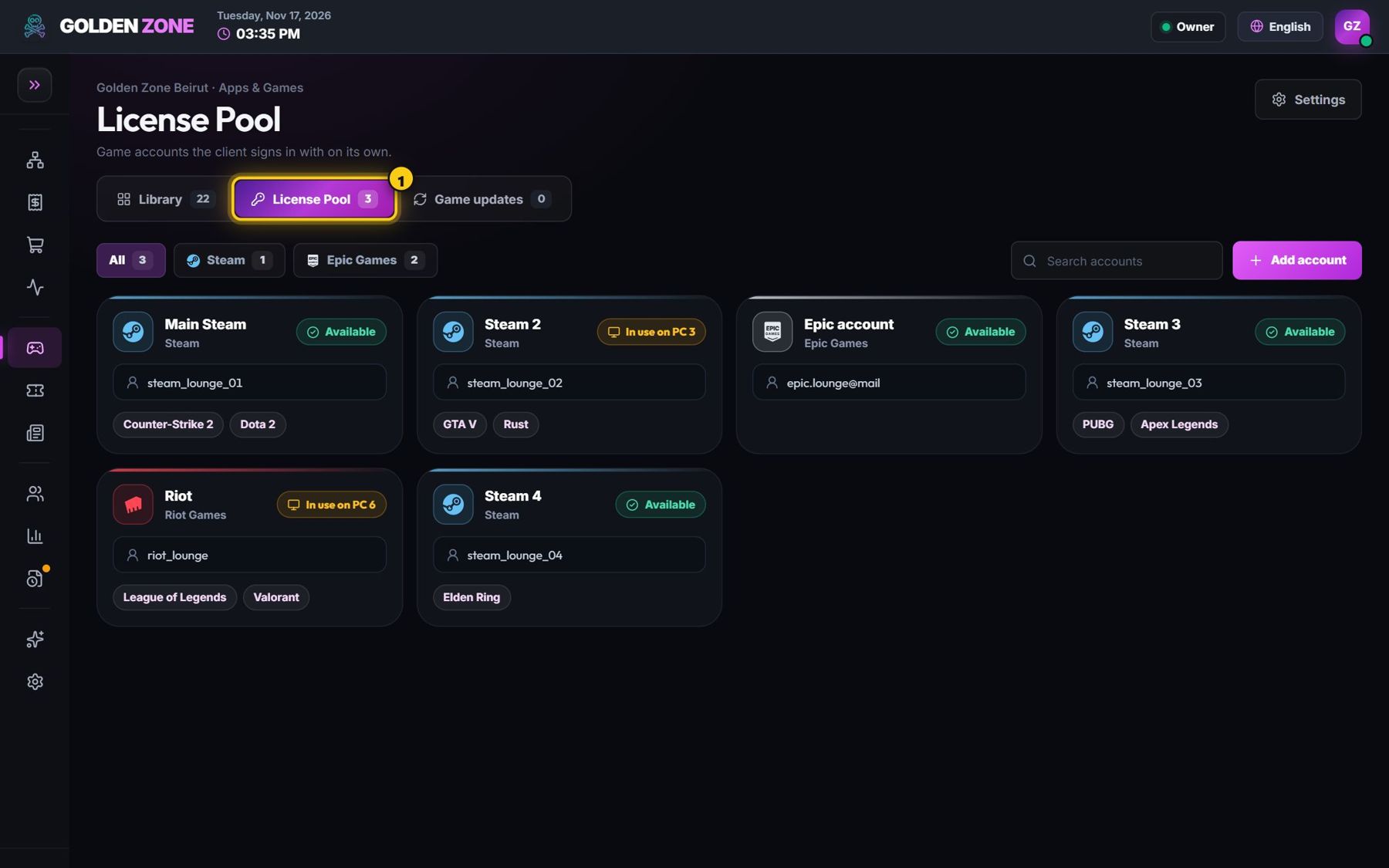
Every account and the PC where it is in use. - Press Add account: choose the platform, a display name, the username and password, and the games of that account.
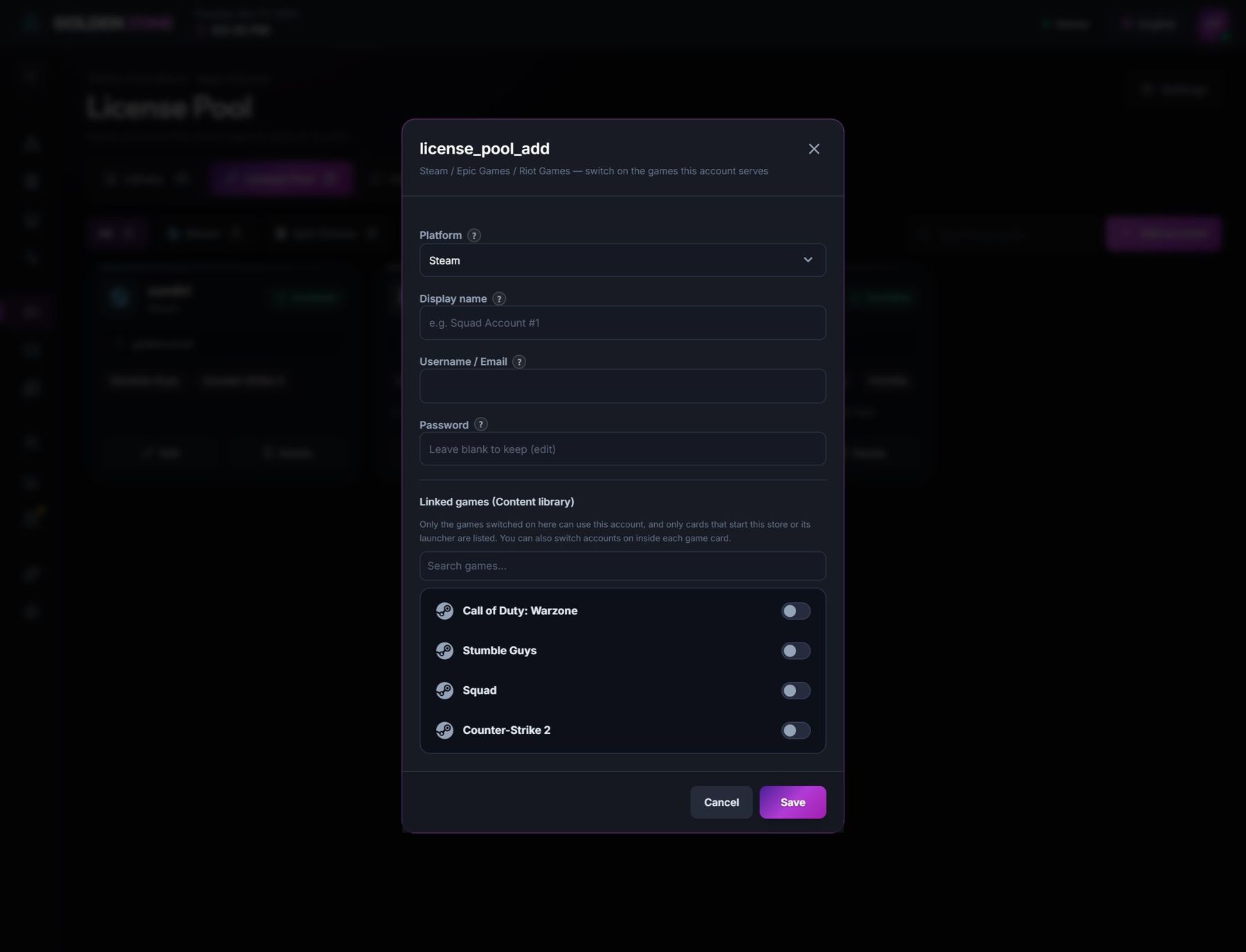
A new pool account. - In the game card, link the accounts that can open that game.
- When a player opens the game, a free account signs in automatically, and is freed when the player leaves.
One account is used on one PC at a time. Add enough accounts for the players who play the same game at the same time.